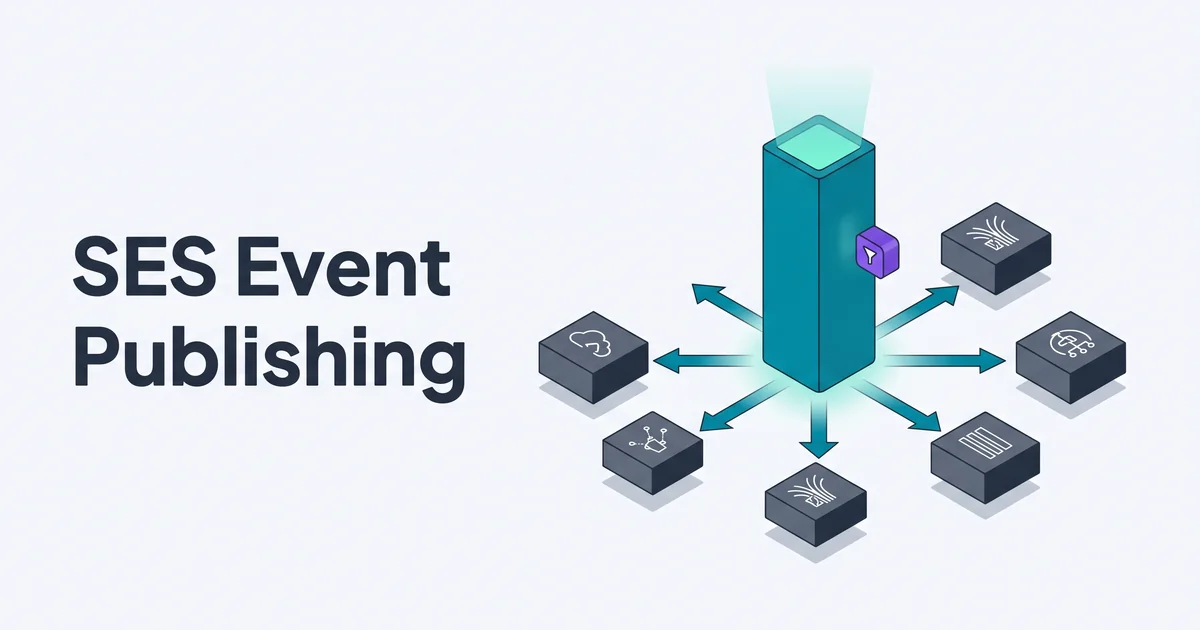
Amazon SES event publishing routes per-message events - sends, deliveries, bounces, complaints, opens, clicks, rejections, rendering failures, delivery delays, and subscription updates - to one of five destinations: CloudWatch, Amazon Data Firehose, Amazon SNS, Amazon EventBridge, or Amazon Pinpoint (AWS, 2026). It is the foundation for building dashboards, alerting on deliverability spikes, ingesting events into a data lake, and triggering downstream automation, all keyed off a configuration set you attach to your sends.
Disclosure: Mailblast is a hosted management layer that runs on top of your own Amazon SES account. This reference is vendor-neutral; the closing section explains how Mailblast handles event publishing on your behalf.
Identity notifications vs configuration-set event destinations
Use configuration-set event destinations for anything beyond the simplest bounce and complaint feedback. SES exposes two parallel notification systems and developers regularly conflate them. Identity-level notifications, configured under each verified domain or address, only fire for bounce, complaint, and delivery events and only publish to a single SNS topic per type. They predate event publishing and remain useful when you want minimum-friction bounce handling on a single identity.
Event publishing is the modern path. You attach an event destination to a configuration set, then reference that configuration set on SendEmail, SendBulkEmail, or via a default on the identity. Ten event types are available in the SES v2 API: SEND, REJECT, BOUNCE, COMPLAINT, DELIVERY, OPEN, CLICK, RENDERING_FAILURE, DELIVERY_DELAY, and SUBSCRIPTION (AWS, 2026). Multiple destinations can subscribe to the same configuration set, each with its own event-type filter, so you can stream every event to Firehose for archival while emitting only bounces to a PagerDuty SNS topic.
| Destination | Best for | Latency | Format | IAM role required |
|---|---|---|---|---|
| CloudWatch | Real-time metrics and dashboards | ~1 minute | Custom metrics (counters) | No |
| Amazon Data Firehose | S3 data lake, Athena, OpenSearch | 60-900 seconds (buffered) | JSON record per event | Yes |
| Amazon SNS | Webhook fan-out, Lambda triggers | Sub-second | JSON message body | Yes |
| Amazon EventBridge | Cross-account routing, SaaS targets | Sub-second | EventBridge event envelope | No (default bus) |
| Amazon Pinpoint | Pinpoint analytics and journeys | Near real-time | Pinpoint event format | Yes |
Creating a configuration set
A configuration set is the container that owns event destinations, reputation tracking, and tracking options. Create one before adding any destination - destinations cannot exist without a parent configuration set. The SES v2 API and the aws sesv2 CLI are the supported surfaces; the v1 endpoints still work but are no longer the recommended path.
aws sesv2 create-configuration-set \
  --configuration-set-name production-transactional \
  --tracking-options CustomRedirectDomain=links.example.com \
  --reputation-options ReputationMetricsEnabled=true \
  --sending-options SendingEnabled=true
Custom redirect domains route open and click tracking through a subdomain you control. Without one, SES uses a shared r.us-east-1.awstrack.me domain that occasionally trips spam filters. Reputation metrics enable the per-configuration-set bounce and complaint rates that appear in the SES console, and SendingEnabled lets you pause an entire campaign by toggling a single flag.
To make a configuration set apply by default, attach it to the verified identity:
aws sesv2 put-email-identity-configuration-set-attributes \
  --email-identity example.com \
  --configuration-set-name production-transactional
Every send from example.com now flows through that configuration set unless the call passes a different ConfigurationSetName.
Adding event destinations
Each event destination is created with CreateConfigurationSetEventDestination and scoped to one configuration set. The Enabled, MatchingEventTypes, and a single destination block (one of CloudWatchDestination, KinesisFirehoseDestination, SnsDestination, EventBridgeDestination, or PinpointDestination) define behavior. Trying to specify two destination blocks in one call returns InvalidParameterValue.
CloudWatch metrics
CloudWatch publishes a custom metric per event type, optionally dimensioned by a message tag so you can break out metrics by campaign, environment, or tenant.
aws sesv2 create-configuration-set-event-destination \
  --configuration-set-name production-transactional \
  --event-destination-name cw-all-events \
  --event-destination '{
    "Enabled": true,
    "MatchingEventTypes": ["SEND","DELIVERY","BOUNCE","COMPLAINT","REJECT"],
    "CloudWatchDestination": {
      "DimensionConfigurations": [
        {
          "DimensionName": "campaign",
          "DimensionValueSource": "MESSAGE_TAG",
          "DefaultDimensionValue": "unknown"
        }
      ]
    }
  }'
CloudWatch charges per metric. With a campaign dimension and 500 distinct campaign values, you create 500 metrics per event type. Watch cardinality.
Amazon Data Firehose to S3
Firehose is the destination most teams reach for when they want every event in a queryable archive. Create the delivery stream first, then point the event destination at its ARN along with a role SES can assume.
aws sesv2 create-configuration-set-event-destination \
  --configuration-set-name production-transactional \
  --event-destination-name firehose-archive \
  --event-destination '{
    "Enabled": true,
    "MatchingEventTypes": ["SEND","DELIVERY","BOUNCE","COMPLAINT","OPEN","CLICK","REJECT","RENDERING_FAILURE","DELIVERY_DELAY","SUBSCRIPTION"],
    "KinesisFirehoseDestination": {
      "IAMRoleARN": "arn:aws:iam::111122223333:role/ses-firehose-publisher",
      "DeliveryStreamARN": "arn:aws:firehose:us-east-1:111122223333:deliverystream/ses-events"
    }
  }'
The role's trust policy must allow ses.amazonaws.com to assume it, and the permissions policy must grant firehose:PutRecordBatch on the target stream. The records SES writes are newline-delimited JSON; configuring Firehose's Parquet conversion and partitioning by eventType and ses:configuration-set makes Athena queries dramatically cheaper at volume.
Amazon SNS
SNS is the right choice for sub-second event handling - bounce processors, suppression-list writers, Lambda functions that update CRM records. One destination publishes to one topic. Fan out to multiple subscribers via SNS itself.
aws sesv2 create-configuration-set-event-destination \
  --configuration-set-name production-transactional \
  --event-destination-name sns-bounces \
  --event-destination '{
    "Enabled": true,
    "MatchingEventTypes": ["BOUNCE","COMPLAINT"],
    "SnsDestination": {
      "TopicARN": "arn:aws:sns:us-east-1:111122223333:ses-feedback"
    }
  }'
Amazon EventBridge
EventBridge ships events to the default bus on the same account with no role required. The shape is the standard EventBridge envelope - source is aws.ses, detail-type is the event type, and the SES payload lives in detail. Rules let you route to Lambda, Step Functions, API Destinations, or another bus.
aws sesv2 create-configuration-set-event-destination \
  --configuration-set-name production-transactional \
  --event-destination-name eventbridge-bus \
  --event-destination '{
    "Enabled": true,
    "MatchingEventTypes": ["BOUNCE","COMPLAINT","DELIVERY_DELAY"],
    "EventBridgeDestination": {
      "EventBusARN": "arn:aws:events:us-east-1:111122223333:event-bus/default"
    }
  }'
Filtering by event type
Filter aggressively at the destination, not downstream. MatchingEventTypes is the single most effective lever for controlling cost. A typical SES tenant emits roughly equal Send and Delivery counts on healthy traffic, so sending both to CloudWatch when you only graph delivery rate doubles your metric bill for no benefit. Likewise, streaming Open and Click events to a bounce-processor SNS topic just clutters Lambda invocations and increases per-message cost.
A common production layout uses three destinations on the same configuration set:
Production patterns
Per-campaign tagging
Pass message tags on every send. The combination of ConfigurationSetName plus a campaign tag is what lets you slice CloudWatch metrics and Athena queries by campaign without parsing email addresses.
import boto3

ses = boto3.client("sesv2")

ses.send_email(
    FromEmailAddress="noreply@example.com",
    Destination={"ToAddresses": ["customer@example.net"]},
    Content={
        "Simple": {
            "Subject": {"Data": "Your weekly digest"},
            "Body": {"Html": {"Data": "<p>...</p>"}},
        }
    },
    ConfigurationSetName="production-transactional",
    EmailTags=[
        {"Name": "campaign", "Value": "weekly-digest-2026-09"},
        {"Name": "tenant", "Value": "acme-corp"},
    ],
)
For raw MIME sends, set the same values via the X-SES-CONFIGURATION-SET and X-SES-MESSAGE-TAGS headers. SES strips both headers before delivery.
Alerting on bounce spikes
Wire CloudWatch alarms to the Reputation.BounceRate metric per configuration set with a threshold below AWS's enforcement thresholds (typically 5% review, 10% pause). A 1% over-5-minute alarm gives you several hours of runway before SES takes action on its own. See our SES SNS feedback loop guide for the matching real-time handler that updates your SES suppression list the moment a hard bounce arrives.
Data-lake ingestion
Firehose with Parquet conversion plus Glue Crawler plus Athena gives you a near-free analytics pipeline once events are flowing. Partition by eventType and date for the cheapest scans; add a secondary partition on ses:configuration-set if you run multi-tenant campaigns.
Common pitfalls
Three issues account for most failed event publishing setups. First, missing IAM permissions: when SES cannot write to Firehose or SNS the events are dropped without surfacing in your destination, and the publishing failures only appear in the SES console's reputation metrics and CloudTrail. Always test a new destination with a single low-volume send and verify the event arrives end to end before scaling traffic.
Second, event format drift. SES has shipped several minor JSON shape changes (mail.tags ordering, additional fields on delivery.smtpResponse) without bumping a version field. Treat your consumers as forgiving JSON readers, not strict schema validators, and never deserialize directly into typed structs without an unknown-fields-allowed mode.
Third, default identity configuration set surprises. Setting a default configuration set on a verified domain affects every send from that domain, including from other applications you may have forgotten about. Review identity-level defaults whenever you change destinations to avoid accidentally rerouting another team's events.
How Mailblast handles event publishing for you
Mailblast operates inside your AWS account and provisions configuration sets, IAM roles, and event destinations on your behalf using the same APIs documented above. We create a dedicated configuration set per Mailblast workspace, attach a CloudWatch destination for the metrics that drive in-app analytics, and pipe send/delivery/bounce/complaint/open/click events through SNS to keep the contact-level event timeline current. Because everything is your AWS resources in your account, you keep raw access to add a Firehose destination, point EventBridge at your own bus, or build a parallel data pipeline without involving us.
If you are evaluating an existing self-managed setup against Mailblast, the practical difference is operational. The technical surface - configuration sets, message tags, event JSON - is identical because Mailblast is a thin management layer on top of SES, not a hosted ESP that wraps SES centrally.
FAQ
What is the difference between SES event publishing and SNS identity notifications?
Identity notifications are configured per verified identity and only emit bounce, complaint, and delivery events to a single SNS topic. Event publishing is configured per configuration set, supports ten event types including opens and clicks, can fan out to CloudWatch, Firehose, SNS, EventBridge, or Pinpoint, and lets you filter which events each destination receives. For anything beyond basic bounce/complaint handling on a single identity, use event publishing.
Do I need a configuration set on every SendEmail call?
Only for messages you want tracked through event publishing. Calls without a ConfigurationSetName still send, but their events bypass every destination you have configured. Many teams set a default configuration set on the verified identity so every send is captured automatically without requiring application changes.
How do I capture open and click events?
Open and click tracking is enabled per configuration set under tracking options. SES rewrites links and injects a 1x1 tracking pixel into HTML bodies, then emits Open and Click events to whichever destinations subscribe to them. Text-only messages and recipients who block remote images will not produce Open events.
What IAM permissions does SES need to publish to Firehose or SNS?
SES assumes a service role you create. For Amazon Data Firehose you grant firehose:PutRecordBatch on the target delivery stream. For SNS you grant sns:Publish on the topic ARN. CloudWatch metrics and EventBridge default bus do not require a role because SES publishes natively. Missing or misconfigured roles are the most common cause of silently dropped events.
How much data does an SES event record contain?
A Firehose record is a single-line JSON object usually between 1 and 4 KB, containing eventType, mail metadata (messageId, source, destination, tags, headers), and an event-specific block (bounce, complaint, delivery, open, click, etc.). For high-volume senders, batching and Parquet conversion in Firehose reduces downstream S3 and Athena costs significantly.